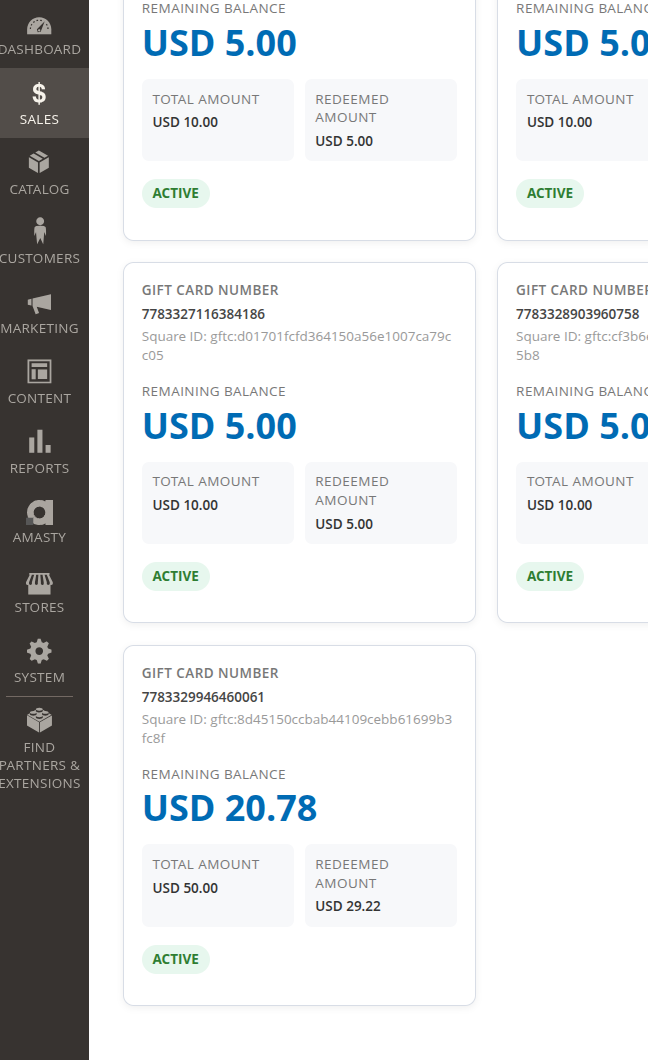
Frans Gift Card overview
Frans Gift Card features:
1/ Setup
Enable module Frans:GiftCard.
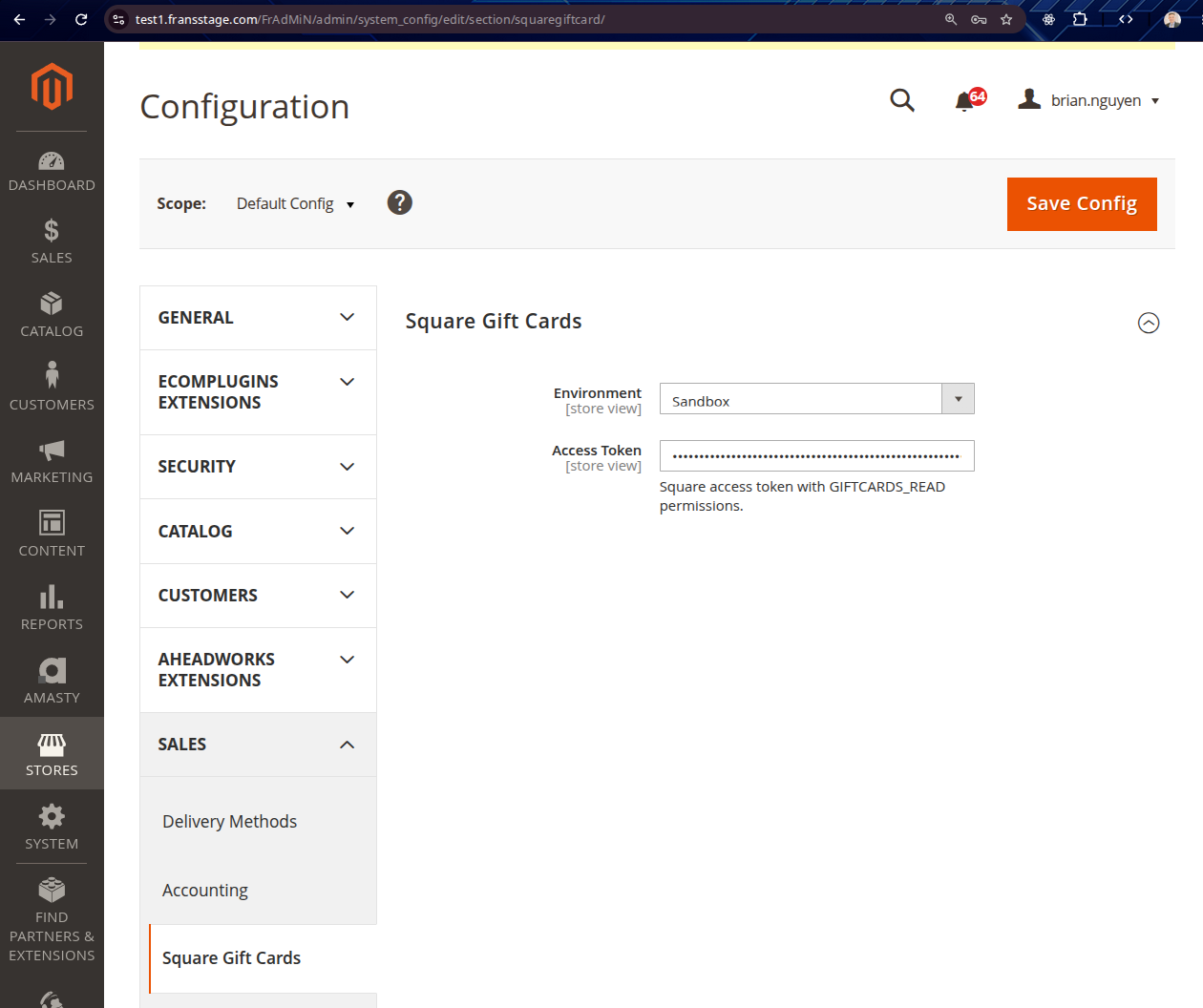
Go to Config -> Sales -> Square Gift Cards to configure environment and token
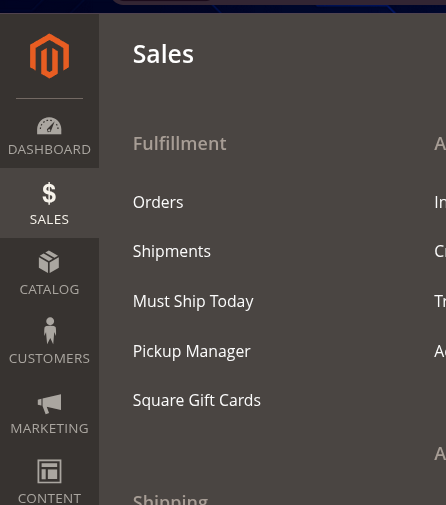
Go to Admin -> Sales -> Square Gift Cards
1/ Order placement:
- Applying or removing a gift card immediately recalculates and persists the quote total instead of waiting for the
item update button
- Stripe charges only the remaining amount after the gift card deduction
- Gift card is redeemed through Square when the order is placed, and the balance is deducted correctly.
- Some frequent Square Gift card error messages:
+ an invalid card number
+ inactive card
+ empty balance
+ $0 order
+ different currency
+ Square unreachable
2/ Refund:
- If an order with a gift card receives a credit memo, the refunded gift card amount is added back to the Square gift card.
How to create a test gift card in sandbox:
1/ Part A - Create the card
1. Log in to developer.squareup.com and open this link:
https://developer.squareup.com/explorer/square/gift-cards-api/create-gift-card
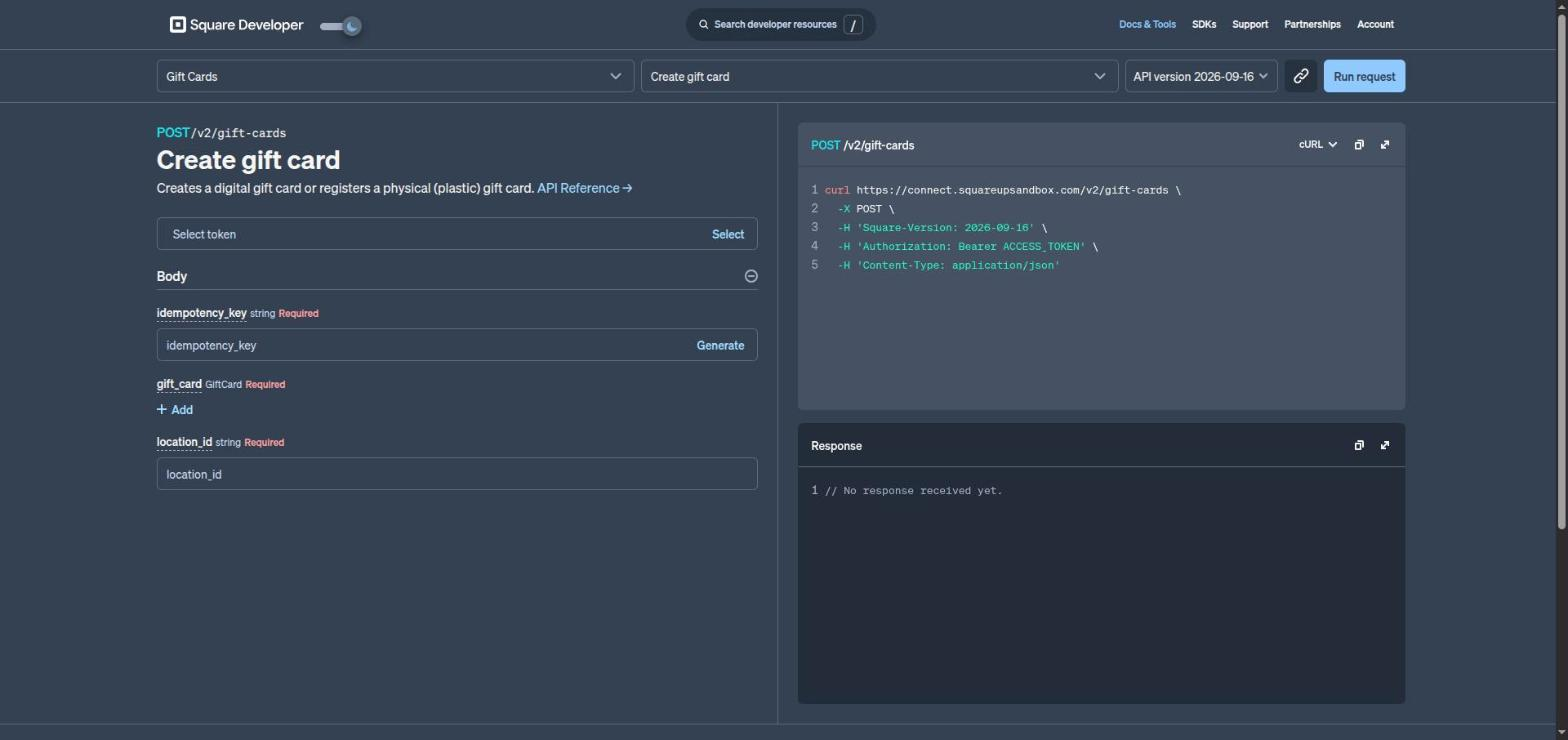
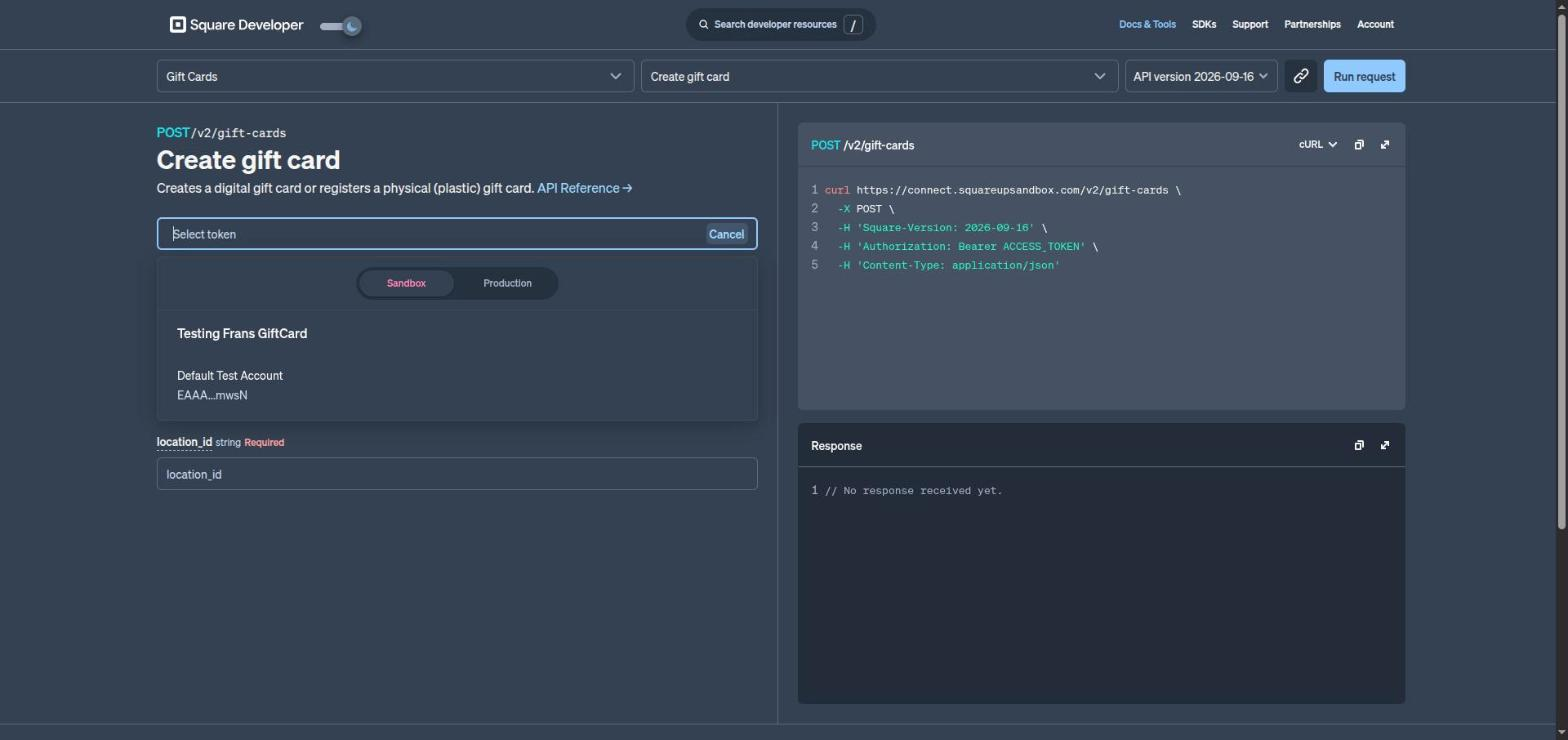
2. Click "Select" in the token box -> pick "Sandbox" -> click "Default Test Account".
3. Fill the form:
- idempotency_key: click "Generate"
- gift_card: click "+ Add" and set type = DIGITAL
- location_id: (please generate a location ID for your square business and paste it here), for example: LZNB28AZNN5ZB
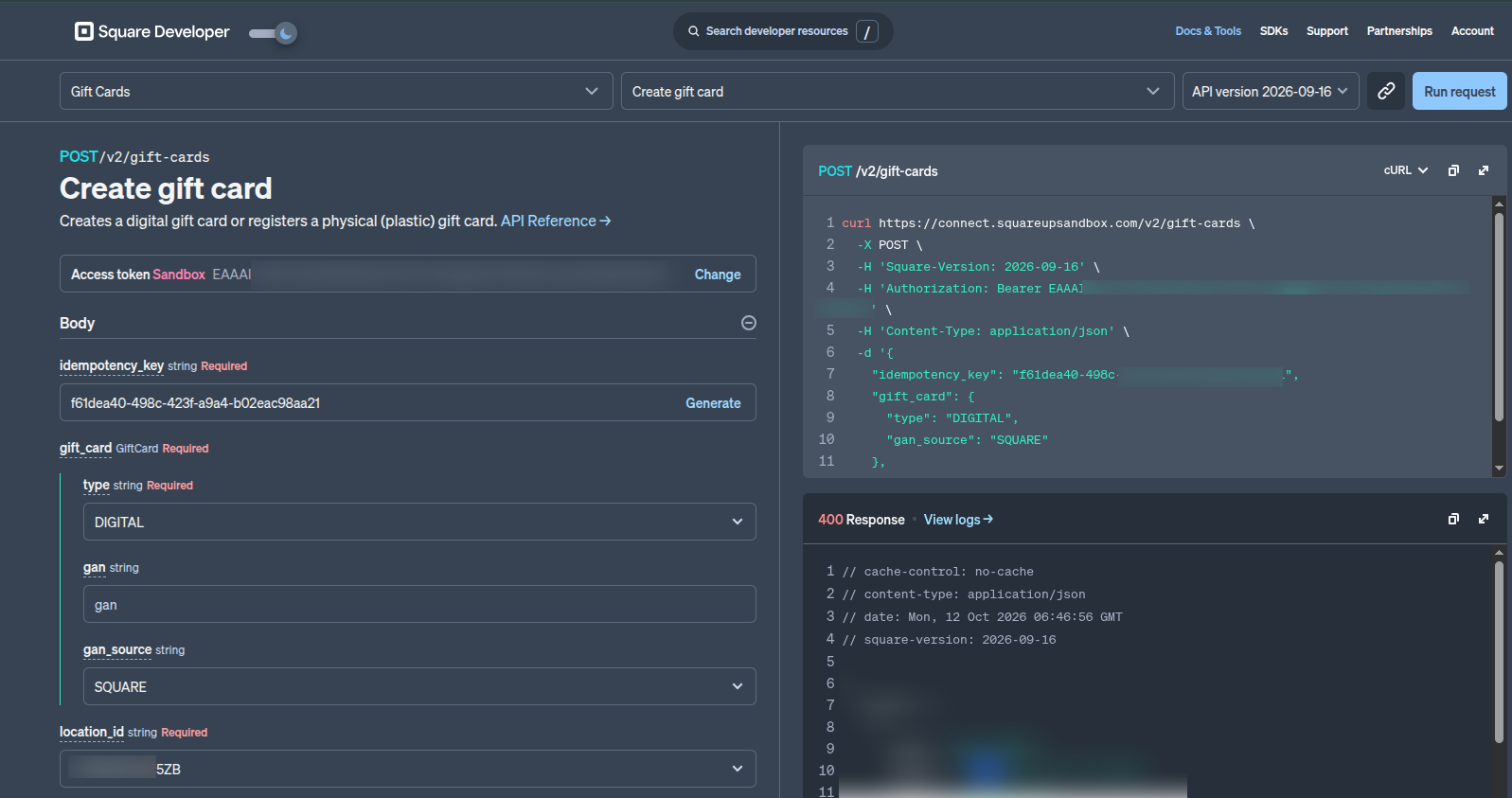
4. Click "Run request" (top right).
5. In the Response box, copy 2 values:
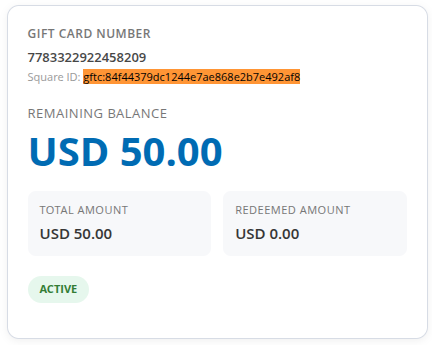
- "id" (starts with gftc:) -> needed for Part B
- "gan" (the card number) -> this is what you type in Magento
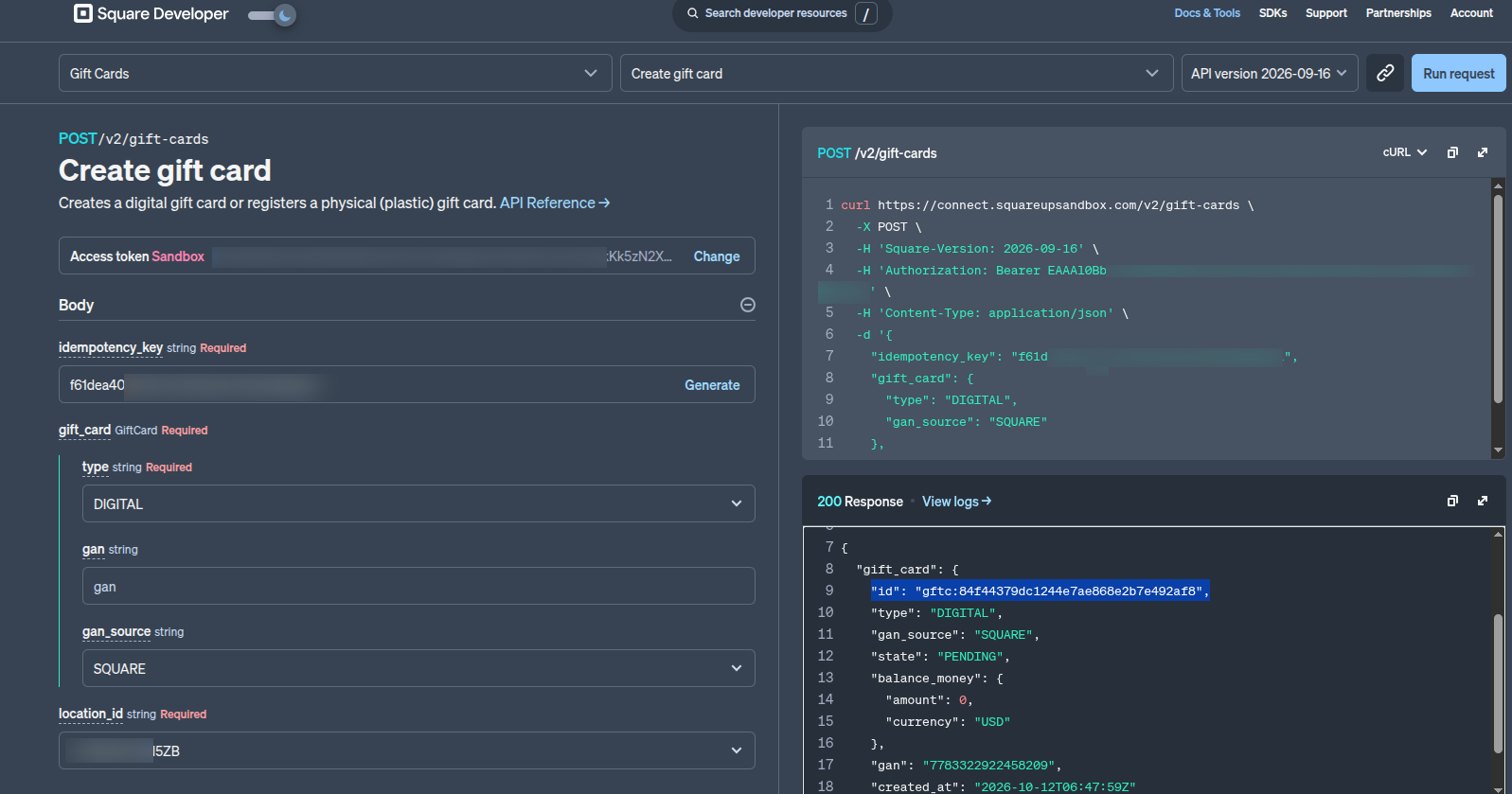
The card is created, but it is still PENDING with $0. Do Part B to put money on it.
2/ Part B - Put money on the card
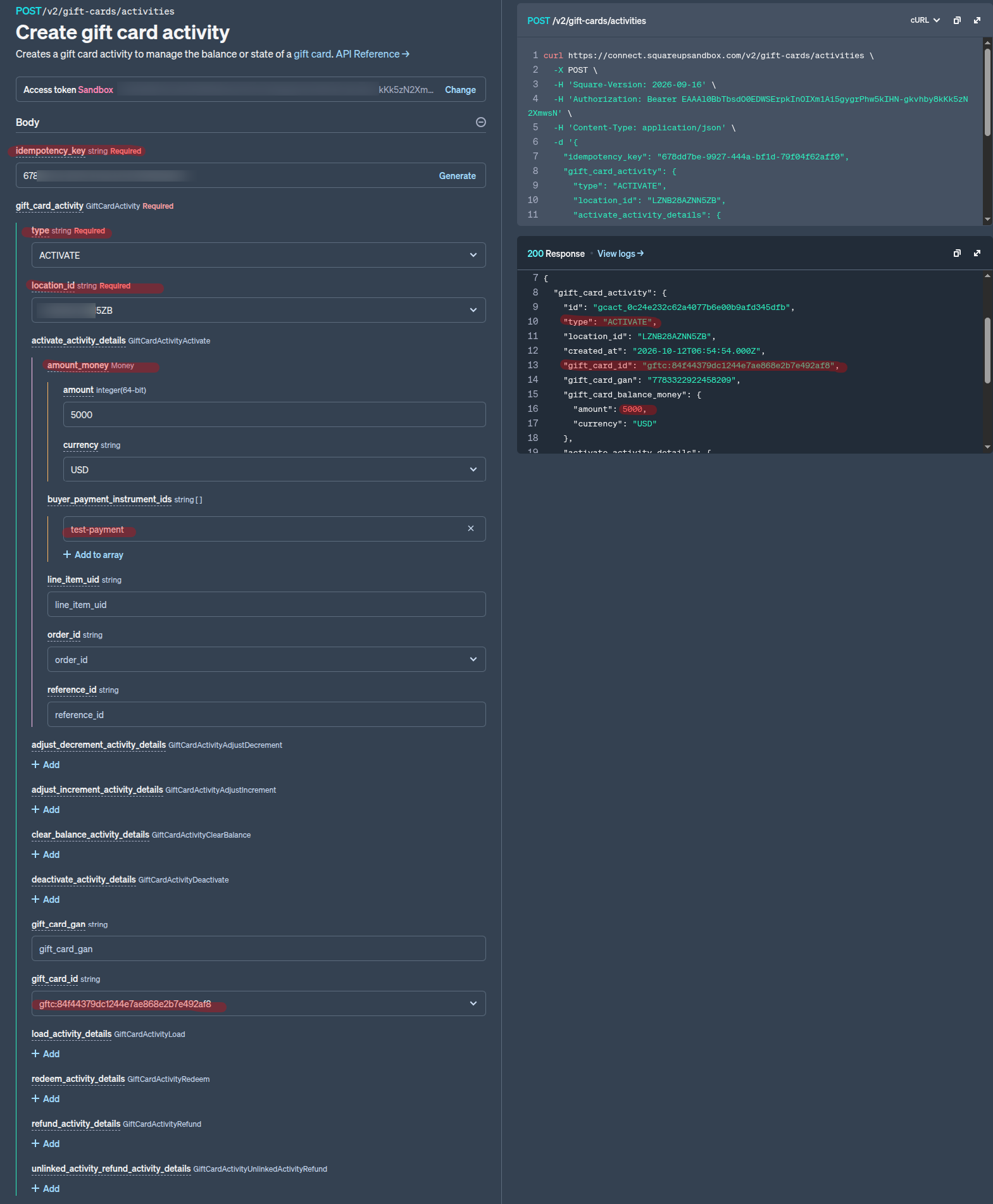
1. At the top, change the first dropdown to "Gift Card Activities" and the second one to "Create gift card activity".

2. Select the same token again (Sandbox -> Default Test Account).
3. Fill the form:
- idempotency_key: click "Generate"
- gift_card_activity -> type: ACTIVATE
- location_id: LZNB28AZNN5ZB
- gift_card_id: the gftc:... id from Part A
- activate_activity_details -> amount_money: amount 5000 (5000 cent = $50). Make sure to choose currency: USD
- activate_activity_details -> buyer_payment_instrument_ids: test-payment
How to use a gift card:
- During admin checkout; admin can type a gift card number (16-digit alphanumeric such as 7783329946460061) , and click the apply ( → ) button
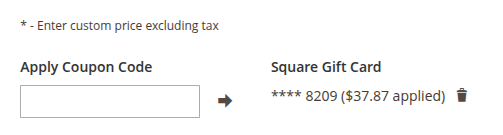
* The card needs to be ACTIVE and have some balance left.
* Gift cards with Pending, Deactivated, or No Balance status will not work, even if the card number is correct.
- After gift card is applied; amount is knocked off in the Total section:
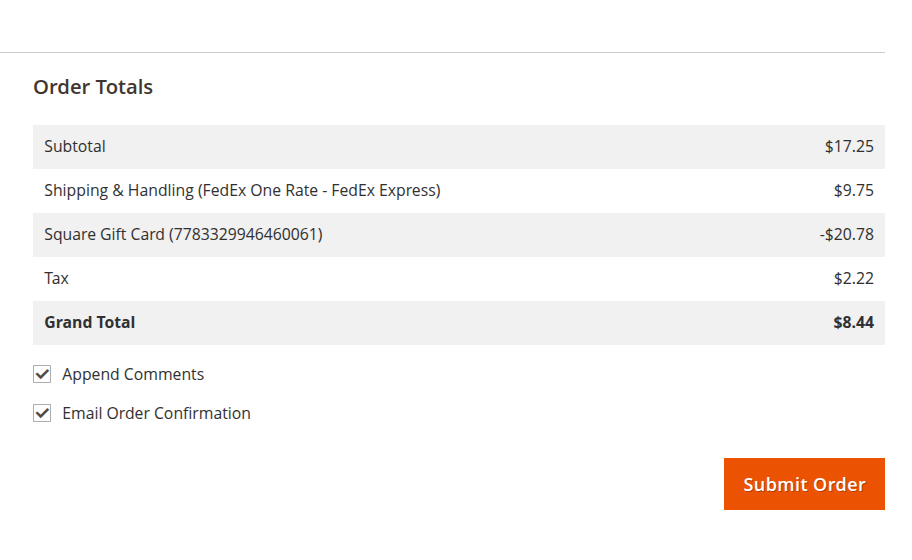
After order is placed, Gift card amount is deducted, please go to Admin → Sales → Square Gift Cards to check new balance: